
With the plethora of AI tools available – each of them promising to make your life easier, richer and more fun we at MyPR have to say that we are still on the fence as to which one is our favourite.
Of course if you show us one that is for free that is the one that we will try out first – blame it on a combination of Scottish, Jewish and Dutch blood!
Currently we use the Opera Browser AI tool – Aria – to help generate story ideas and lists. One day we should do a series of ‘Huffington Post’ listicles around the PR Industry, just for fun.
Having recently listed TinyWow AI in the MyPR Directory we gave it a (very) quick once over and used four of the MANY tools available. These tools were chosen as the most likely to be used by PR Professionals:
- Image Generation
- Image Background Removal
- Written Content
- Press Relese Generation
Instead of writing pithy words and reviews the intent is to show how quickly a philistine such as I can get the AI tools on offer to produce something approximating DECENT content.
That content is reproduced below so that you can make your own decisions.
AI Image
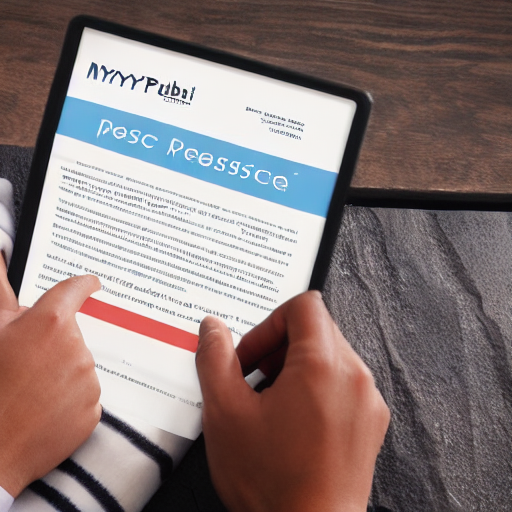
To produce an AI image we asked TinyWow to create an image of “A successful Public Relations Professional submitting a press release on https://MyPR.co.za” As you can see below – it is passable but not one that we would accept if produced in house:
Background Removal
Moving on we took an image of Garfield Tsatsane from this article: The Vitality Run Series Takes Place Next Month in Gqeberha. The FIRST PASS result is below (visit the press release to see the original image).

AI Article Creation
We asked TinyWow the following question; “Why Should Public Relations Professionals Use TinyWow?” and specified that it was for ‘College Student level” with at least 10 paragraphs. TinyWow produced the content below for us:
In the world of public relations, staying ahead of the curve is crucial to success. With the rise of social media and digital platforms, public relations professionals are constantly seeking new ways to engage with their audience and create impactful campaigns. One tool that has gained popularity among PR professionals is TinyWow. TinyWow is a cutting-edge platform that allows users to create interactive and engaging content that can be easily shared across multiple channels. In this essay, I will discuss the importance of TinyWow for public relations professionals and why it should be considered as a valuable tool in their toolkit.
To begin with, TinyWow offers a unique way to create visually appealing content that captures the attention of audiences. In an age where attention spans are shrinking and competition for engagement is fierce, having the ability to create eye-catching content is essential. TinyWow provides PR professionals with a variety of templates and features that allow them to create interactive and engaging content that is sure to resonate with their target audience.
Additionally, TinyWow allows for easy customization and personalization of content. With a user-friendly interface and intuitive design features, PR professionals can quickly create content that aligns with their brand messaging and objectives. This level of customization ensures that the content created is relevant and impactful for the target audience, leading to increased engagement and brand awareness.
Another key benefit of using TinyWow is the ability to track and measure the success of campaigns. TinyWow provides detailed analytics and insights that allow PR professionals to understand how their content is performing and make data-driven decisions to optimize future campaigns. By having access to real-time data and metrics, PR professionals can make informed decisions that drive results and deliver value to their clients or organization.
Furthermore, TinyWow offers seamless integration with social media platforms, making it easy to share content across multiple channels. In today’s digital age, having a strong social media presence is essential for building brand awareness and engaging with audiences. By using TinyWow, PR professionals can quickly create and share content that attracts attention and drives traffic to their social media profiles.
In addition to its visual appeal and customization options, TinyWow also offers a range of features that make it a versatile tool for PR professionals. From interactive quizzes and polls to animated videos and infographics, TinyWow provides a wide range of options for creating engaging content that captures the attention of audiences. This level of creativity and flexibility allows PR professionals to experiment with different formats and styles to find what resonates best with their target audience.
Moreover, TinyWow is a cost-effective solution for PR professionals looking to create high-quality content on a budget. With affordable pricing plans and a range of features included in each package, TinyWow offers excellent value for money compared to traditional content creation tools. PR professionals can save time and resources by using TinyWow to create content that is visually appealing, engaging, and impactful without breaking the bank.
Additionally, using TinyWow can help PR professionals stay ahead of the competition and stand out in a crowded marketplace. By leveraging the unique features and capabilities of TinyWow, PR professionals can create content that grabs attention and drives engagement, setting them apart from competitors who may be using more traditional methods of content creation. This competitive edge can help PR professionals attract new clients, retain existing clients, and establish themselves as leaders in the field of public relations.
In conclusion, TinyWow is a valuable tool for public relations professionals looking to create interactive and engaging content that resonates with their target audience. By offering a wide range of features, customization options, and analytics capabilities, TinyWow provides PR professionals with the tools they need to create successful campaigns that drive results. With its easy integration with social media platforms, cost-effective pricing plans, and competitive edge, TinyWow is a valuable asset for any PR professional looking to elevate their content creation efforts and stay ahead of the curve in the ever-evolving world of public relations.
For the next part of our experiment we pitted Opera’s Aria AI tool against TinyWow and asked each the same questions:
- List all the PDF tools on offer by TinyWow.com
- List all the Image tools on offer by TinyWow.com
- List all the Write tools on offer by TinyWow.com
- List all the Video tools on offer by TinyWow.com
- List all the File tools on offer by TinyWow.com
List all the PDF tools on offer by TinyWow.com
| Opera Aria AI | TinyWow AI |
|---|---|
| Exploring PDF Tools Offered by TinyWow.com
TinyWow.com has emerged as a popular platform for users seeking a variety of online tools, particularly for handling PDF files. This article provides an overview of the PDF tools available on TinyWow.com, highlighting their features and functionalities in a straightforward manner. Overview of TinyWow.com TinyWow.com is designed to simplify tasks related to PDFs, images, and videos. The platform offers a range of free tools that cater to both personal and professional needs, making it a go-to resource for users looking to manage their documents efficiently. List of PDF Tools TinyWow.com provides an impressive array of PDF tools, each tailored to meet specific user requirements. Here’s a detailed list of the PDF tools available: Merge PDF: This tool allows users to combine multiple PDF files into a single document. It is particularly useful for organizing related documents into one file for easier sharing and storage. Edit PDF: Users can modify existing PDF documents with this tool. It enables text editing, image insertion, and other adjustments, making it easier to update content without starting from scratch. PDF to JPG: This feature converts PDF files into JPG images. It is beneficial for users who need to extract images from PDFs or share content in a more accessible format. JPG to PDF: Conversely, this tool allows users to convert JPG images into PDF format. This is useful for compiling images into a single document for presentations or archiving. Compress PDF: The compress tool reduces the file size of PDFs without significantly compromising quality. This is essential for users who need to send large files via email or upload them to websites with size restrictions. Change PDF Page Order:” Users can rearrange the pages of a PDF document easily. This tool is helpful for organizing content in a logical sequence before sharing or printing. Split PDF: This tool enables users to divide a PDF into separate files. It is particularly useful for extracting specific pages or sections from a larger document. Unlock PDF: Users can remove password protection from PDF files with this tool, provided they have the necessary permissions. This is useful for accessing documents that are otherwise restricted. Protect PDF: Conversely, this tool allows users to add password protection to their PDF files, ensuring that sensitive information remains secure. Convert PDF to Word: This feature converts PDF documents into editable Word files, making it easier for users to make changes or extract text. Convert Word to PDF: Users can also convert Word documents into PDF format, which is ideal for preserving formatting and ensuring compatibility across different devices. TinyWow.com offers a comprehensive suite of PDF tools that cater to a wide range of needs, from merging and editing to converting and securing documents. With its user-friendly interface and free access, TinyWow.com stands out as a valuable resource for anyone looking to manage PDF files efficiently. Whether for personal use or professional tasks, these tools provide the necessary functionalities to streamline document handling. |
TinyWow offers a variety of PDF tools that can help make working with PDF files easier and more efficient. One of the tools they offer is the PDF compressor, which allows users to reduce the size of PDF files without compromising the quality of the content. This can be useful for sending PDF files via email or uploading them to a website.
Another tool that TinyWow offers is the PDF splitter, which allows users to split a PDF file into multiple smaller files. This can be helpful if you have a large PDF file that you want to divide into smaller sections for easier navigation or sharing. The PDF merger tool, on the other hand, allows users to combine multiple PDF files into one file. This can be useful if you have several PDF files that you want to merge into a single document. TinyWow also offers a PDF converter tool, which allows users to convert PDF files into different formats such as Word, Excel, or PowerPoint. This can be helpful if you need to edit or modify the content of a PDF file in a different format. Additionally, the PDF editor tool allows users to make changes to the content of a PDF file, such as adding text, images, or annotations. Another useful tool offered by TinyWow is the PDF password remover, which allows users to remove password protection from a PDF file. This can be helpful if you have a password-protected PDF file that you need to access but have forgotten the password. The PDF to image converter tool allows users to convert PDF files into image files such as JPG or PNG. This can be useful if you need to extract images from a PDF file for use in other programs or documents. In addition to these tools, TinyWow also offers a PDF to text converter tool, which allows users to convert PDF files into plain text files. This can be helpful if you need to extract text from a PDF file for editing or copying purposes. The PDF to Excel converter tool allows users to convert PDF files into Excel spreadsheets, which can be useful for analyzing or manipulating data within a PDF file. Overall, TinyWow offers a wide range of PDF tools that can help users work with PDF files more effectively. Whether you need to compress, split, merge, convert, edit, or extract content from a PDF file, TinyWow has a tool that can help you get the job done. These tools are user-friendly and efficient, making them a valuable resource for anyone who works with PDF files on a regular basis. |
List all the Image tools on offer by TinyWow.com
| Opera Aria AI | TinyWow AI |
|---|---|
| Overview of TinyWow’s Image Tools
TinyWow aims to make life easier for users by offering a range of tools that cater to different needs. The image tools are particularly useful for individuals and businesses looking to enhance their digital content without the need for expensive software. Below is a list of the key image tools available on TinyWow.com. 1. Image Converter: The Image Converter tool allows users to convert images from one format to another. This is particularly helpful for those who need to change file types for compatibility with various applications or platforms. Supported formats typically include JPEG, PNG, GIF, and more. 2. Image Resizer: With the Image Resizer, users can easily adjust the dimensions of their images. This tool is beneficial for optimizing images for websites, social media, or any other platform where specific size requirements exist. Users can specify exact dimensions or choose from preset sizes. 3. Image Compressor: The Image Compressor tool helps reduce the file size of images without significantly compromising quality. This is essential for web developers and content creators who want to improve loading times and overall site performance. 4. Background Remover: The Background Remover tool is a standout feature that allows users to eliminate backgrounds from images effortlessly. This is particularly useful for creating product images, profile pictures, or any visuals where a clean background is desired. 5. Image Editor: TinyWow also offers a basic Image Editor that enables users to make quick adjustments to their images. This includes cropping, rotating, and applying filters. The editor is user-friendly, making it accessible for those who may not have extensive graphic design experience. 6. Collage Maker: The Collage Maker tool allows users to combine multiple images into a single collage. This is perfect for creating visual stories or showcasing a series of related images in a creative format. 7. Screenshot Tool: The Screenshot Tool enables users to capture and edit screenshots directly from their browsers. This is particularly useful for creating tutorials, presentations, or sharing information quickly. |
TinyWow.com offers a variety of image tools that can help users enhance and manipulate their photos in various ways. One of the most popular tools on offer is the image resize feature, which allows users to easily change the dimensions of their images to fit different aspect ratios or resolutions. This tool is great for making images smaller for web use or larger for printing purposes.
Another useful tool that TinyWow.com offers is the image crop feature. This tool allows users to crop their images to remove unwanted parts or focus on a specific area of their photo. This can help improve the composition of the image and make it more visually appealing. In addition to resizing and cropping, TinyWow.com also offers an image rotate tool. This tool allows users to easily rotate their images by 90 degrees clockwise or counterclockwise. This can be useful for correcting photos that were taken in the wrong orientation or for creating interesting effects. Another handy tool offered by TinyWow.com is the image flip feature. This tool allows users to flip their images horizontally or vertically, creating mirror images or upside-down effects. This can add a fun and creative touch to photos. TinyWow.com also offers an image watermark tool, which allows users to add a watermark to their images to protect their work or brand their content. This tool can be customized with different fonts, colors, and sizes, making it easy to create a unique watermark for each image. Another great tool offered by TinyWow.com is the image filter feature. This tool allows users to apply various filters to their photos, such as sepia, black and white, or vintage effects. This can help give images a different look or style. The image border tool is another useful feature offered by TinyWow.com. This tool allows users to add borders to their images in different colors and styles. Borders can help frame the image and draw attention to the subject. TinyWow.com also offers an image text tool, which allows users to add text to their images. This tool can be used to add captions, quotes, or other text to photos for a personalized touch. Users can customize the font, size, color, and alignment of the text. Another helpful tool offered by TinyWow.com is the image merge feature. This tool allows users to merge multiple images into one, creating a collage or composite image. This can be great for combining photos from a special event or creating a unique piece of art. Overall, TinyWow.com offers a wide range of image tools that can help users enhance, edit, and customize their photos. Whether resizing, cropping, rotating, flipping, adding filters, borders, text, watermarks, or merging images, there are plenty of options to choose from to make your photos look their best. These tools are easy to use and can help unleash your creativity when it comes to editing and manipulating images. |
List all the Write tools on offer by TinyWow.com
| Opera Aria AI | TinyWow AI |
|---|---|
| Overview of TinyWow
TinyWow is a 100% free platform that provides users with a range of tools without the need for registration. For those who prefer an ad-free experience, a subscription plan is available for $5.99 per month. This plan not only removes ads but also eliminates captchas, enhancing the user experience. Writing Tools Available on TinyWow: TinyWow offers an impressive selection of over 50 tools, catering to various writing needs. Below is a list of some of the key writing tools available on the platform: AI Text Generator: This tool allows users to generate text based on prompts, making it ideal for creating articles, blog posts, and other written content quickly. Paraphrasing Tool: Users can rephrase existing text to improve clarity or change the style while retaining the original meaning. This is particularly useful for students and professionals looking to enhance their writing. Summarizer: The summarizer tool condenses lengthy articles or documents into concise summaries, saving users time while ensuring they capture the essential points. Grammar Checker: This tool helps users identify and correct grammatical errors in their writing, ensuring polished and professional output. Plagiarism Checker: Users can check their content for originality, ensuring that their work is free from unintentional plagiarism. Content Improver: This tool provides suggestions to enhance the quality of the text, making it more engaging and effective for the intended audience. Text to Speech: The text-to-speech feature converts written content into audio, allowing users to listen to their text, which can be particularly helpful for those with visual impairments or for multitasking. Story Generator: For creative writers, the story generator offers prompts and ideas to inspire new narratives, making it easier to overcome writer’s block. Email Generator: This tool assists users in crafting professional emails, providing templates and suggestions to ensure effective communication. Social Media Post Generator: Users can create engaging posts for various social media platforms, tailored to fit different audiences and styles. |
TinyWow.com is a website that offers a variety of tools for students to enhance their writing skills. One of the tools they offer is a plagiarism checker, which helps students ensure that their work is original and not plagiarized from other sources. This tool is important for academic writing, as plagiarism can have serious consequences.
Another tool offered by TinyWow.com is a grammar checker, which helps students identify and correct grammatical errors in their writing. This tool is useful for students who struggle with grammar or want to improve the quality of their writing. By using the grammar checker, students can learn from their mistakes and become better writers. TinyWow.com also offers a writing prompt generator, which provides students with creative prompts to inspire their writing. This tool is great for students who are struggling to come up with ideas or need a little push to get started on their writing assignments. Writing prompts can help students think outside the box and explore new ideas in their writing. Additionally, TinyWow.com offers a word counter tool, which helps students track the length of their writing. This tool is useful for students who need to meet specific word count requirements for their assignments. By using the word counter tool, students can ensure that they are meeting the requirements of their assignments and can adjust their writing accordingly. Another tool offered by TinyWow.com is a citation generator, which helps students create accurate citations for their sources. This tool is important for academic writing, as proper citation is essential to avoid plagiarism and give credit to the original sources. By using the citation generator, students can easily create citations in various formats such as APA, MLA, and Chicago style. In addition to these tools, TinyWow.com also offers a proofreading tool, which helps students identify and correct spelling errors in their writing. This tool is useful for students who struggle with spelling or want to improve the overall quality of their writing. By using the proofreading tool, students can catch typos and errors that may have otherwise gone unnoticed. TinyWow.com also offers a readability checker, which helps students assess the readability of their writing. This tool analyzes the complexity of the text and provides feedback on how easily it can be understood. By using the readability checker, students can adjust their writing to make it more accessible and engaging for their audience. Another tool on offer by TinyWow.com is a synonym finder, which helps students find alternative words to use in their writing. This tool is useful for students who want to vary their vocabulary and avoid repetition in their writing. By using the synonym finder, students can expand their word choices and make their writing more interesting and engaging. Furthermore, TinyWow.com offers a writing style guide, which provides students with guidelines on various writing styles and formats. This tool is helpful for students who are unfamiliar with the specific requirements of different writing styles, such as academic essays or research papers. By using the writing style guide, students can ensure that their writing meets the expected standards and conventions. In conclusion, TinyWow.com offers a variety of tools to help students improve their writing skills. From plagiarism checkers to grammar checkers, writing prompts to citation generators, students can find a range of resources to support their writing endeavors. By utilizing these tools, students can enhance their writing abilities, learn from their mistakes, and produce high-quality work that meets the standards of academic writing. |
List all the Video tools on offer by TinyWow.com
| Opera Aria AI | TinyWow AI |
|---|---|
| Video Tools Available on TinyWow:
TinyWow offers several video tools that cater to different needs. Here’s a list of the key video tools available: Video Converter: This tool allows users to convert videos from one format to another. It supports various formats, making it easy to switch between them based on user requirements. Video Compressor: The video compressor tool helps users reduce the file size of their videos without significantly compromising quality. This is particularly useful for sharing videos online or saving storage space. Video Merger: Users can combine multiple video clips into a single file using the video merger tool. This feature is ideal for creating compilations or editing together different segments of footage. Video Trimmer: The video trimmer allows users to cut and edit their videos by removing unwanted sections. This tool is essential for refining video content and ensuring that only the most relevant parts are included. Video Splitter: This tool enables users to split a video into multiple segments. It is useful for breaking down longer videos into shorter clips for easier sharing or editing. Video Rotator: The video rotator tool allows users to rotate their videos to the desired orientation. This is particularly helpful for correcting videos that were recorded in the wrong position. Video Enhancer: Users can enhance the quality of their videos with this tool, which improves aspects such as brightness, contrast, and color balance. This feature is beneficial for making videos look more professional. Video Background Remover: This innovative tool allows users to remove the background from their videos, making it easier to create engaging content with new backgrounds or effects. |
TinyWow.com is a website that offers a variety of video tools to enhance the experience of users. These tools are designed to make creating and editing videos easy and fun. From beginners to professionals, TinyWow.com has something for everyone who wants to create visually stunning content.
One of the most popular video tools offered by TinyWow.com is the video maker. This tool allows users to easily create videos from scratch with customizable templates, music, and effects. Users can simply drag and drop elements onto the timeline to create their masterpiece. Another handy tool on TinyWow.com is the video editor. This tool allows users to edit their videos with precision by adding transitions, text, and filters. Users can also trim and crop their videos to make them look polished and professional. For those who want to spice up their videos with some cool effects, TinyWow.com offers an effects tool. This tool includes a wide range of effects like blur, distortion, and color correction to make videos stand out. If users want to add some pizzazz to their videos with music, TinyWow.com has a music tool that allows users to add background music to their videos. Users can choose from a library of royalty-free music or upload their own tracks. In addition to these tools, TinyWow.com also offers a voiceover tool for users who want to add narration to their videos. With this tool, users can record their voice and sync it with their videos for a personalized touch. Furthermore, TinyWow.com has a collaboration tool that allows users to work together on projects in real-time. Users can invite others to join their project and make edits simultaneously, making collaboration easy and efficient. For users who want to share their videos with the world, TinyWow.com offers a sharing tool that allows users to upload and share their videos on social media platforms like YouTube, Facebook, and Instagram. In conclusion, TinyWow.com offers a wide range of video tools for users to create stunning and engaging videos. Whether users are beginners or professionals, there is something for everyone on TinyWow.com. So, if you want to take your videos to the next level, check out TinyWow.com and start creating unbelievable content today. |
List all the File tools on offer by TinyWow.com
| Opera Aria AI | TinyWow AI |
|---|---|
| Here Opera AI failed dismally and only gave a rehash of the above tools available. I then specified the URL where Opera AI could find the File tools on offer by TinyWow and that was also a FAIL. | TinyWow.com offers a variety of file tools that can help users manage and organize their files more efficiently. Some of the file tools available on the website include file compression, file conversion, file merging, file splitting, file encryption, file decryption, file sharing, file renaming, file conversion, and file syncing.
One of the most popular file tools on TinyWow.com is file compression. This tool allows users to reduce the size of their files so they take up less storage space on their devices. File compression can be especially useful when sending large files via email or uploading them to the cloud. Another useful tool offered by TinyWow.com is file conversion. This tool allows users to convert files from one format to another, making it easier to open and edit files with different software applications. For example, users can convert a PDF file to a Word document or an MP4 video to a GIF image. File merging is another handy tool available on TinyWow.com. This tool allows users to combine multiple files into a single file, making it easier to manage and share content. File merging can be especially useful when working on collaborative projects or organizing multiple files for easy access. File splitting is another useful tool offered by TinyWow.com. This tool allows users to divide large files into smaller, more manageable segments. This can be useful when trying to share or upload large files that may be too bulky for certain platforms. File encryption is a key tool offered by TinyWow.com for users concerned about the security and privacy of their files. File encryption allows users to protect their files with a password, ensuring that only authorized individuals can access the content. File decryption is another crucial tool offered by TinyWow.com for users who have encrypted files that they need to access. File decryption allows users to unlock their encrypted files by entering the correct password, making it easier to access important content. File sharing is another essential tool offered by TinyWow.com for users who need to collaborate with others or share files with friends and colleagues. File sharing allows users to easily send files to others via email, social media, or cloud storage platforms. File renaming is a simple but useful tool offered by TinyWow.com for users who need to quickly change the names of their files. File renaming can help users keep their files organized and easily identifiable. File conversion is another handy tool offered by TinyWow.com for users who need to convert files from one format to another. This tool can be especially useful for users who work with a variety of file types and need to ensure compatibility with different software applications. File syncing is a convenient tool offered by TinyWow.com for users who need to keep their files updated across multiple devices. This tool allows users to synchronize their files so that changes made on one device are automatically reflected on another, ensuring that users have access to the most up-to-date content. |
And just for fun we used TinyWow’s Press Release Generator to create a press release for MyPR with the following title; “Explain why journalists will find great content and content ideas on MyPR”.
Here is the result:
FOR IMMEDIATE RELEASE
[Date]
[Contact Information]
Discover Great Content and Content Ideas for Journalists on MyPR.co.za
[City, Country] – MyPR.co.za is proud to announce that journalists can find a wealth of great content and content ideas on our platform.
As a leading press release distribution service in South Africa, MyPR.co.za provides journalists with access to a wide range of news and information across various industries. Our platform offers a curated selection of press releases, articles, and news updates that are relevant and engaging for journalists looking for fresh content ideas.
Whether you are covering technology, finance, health, lifestyle, or any other topic, MyPR.co.za has you covered. Our platform features press releases from a diverse range of companies and organizations, making it easy for journalists to discover new stories and angles to explore.
In addition to providing access to quality content, MyPR.co.za also offers journalists the opportunity to connect with companies and PR professionals to source quotes, interviews, and additional information for their stories. Our platform serves as a valuable resource for journalists seeking to expand their network and find new sources for their reporting.
We invite journalists to visit MyPR.co.za today and explore the many benefits of our platform. From breaking news to feature stories, MyPR.co.za has the content and content ideas that journalists need to stay informed and inspired.
For more information, please visit [Website] or contact [Contact Information].
###
About MyPR.co.za:
MyPR.co
Video: TinyWow AI – How Does it Stack Up?
Boilerplate and Editor’s Notes.
More Info on TinyWow AI – How Does it Stack Up? here:
Twitter: https://twitter.com/MyPE
Facebook: https://www.facebook.com/myprco
CLICK HERE to submit your press release to MyPR.co.za.
Watch a Tinywow AI – How Does It Stack Up? video:
High Kingdom Warrior
“Patience is crucial for customer service professionals.” ~ Oscar Auliq-Ice, Happy Customers
Dark Hq
“Public relations are a key component of any operation in this day of instant communications and rightly inquisitive citizens.” – Alvin Adams
Hitch Frenzy
Journalism is printing what someone else does not want printed: everything else is Public Relations. – George Orwell